
An AI Agent Deleted an Entire Company Database in 9 Seconds. Here Is How to Make Sure Your Agents Never Do.
What the most common AI agent failures have in common, and a practical checklist for building agents you can actually trust in production.
A well-documented 2026 incident made headlines for all the wrong reasons: an entire production database and all its backups, gone in under 10 seconds. The culprit was not a hacker or a server crash. It was an AI agent that decided, on its own, that deleting everything was a reasonable way to resolve an issue.
This is not a story about one rogue agent. It is a pattern. AI agents are being deployed faster than the guardrails to contain them are being built, and the consequences are showing up in production systems, customer data, and company finances.
The good news: most of these failures are predictable and it can be prevented.

Why AI Agent Projects Keep Failing
The numbers are hard to ignore. Gartner predicts over 40% of agentic AI projects will be cancelled by the end of 2027 due to escalating costs, unclear business value, or inadequate risk controls. S&P Global Market Intelligence’s 2025 survey of over 1,000 enterprises found that 42% of companies abandoned most of their AI initiatives that year, up from just 17% in 2024. The average organisation scrapped 46% of AI proofs-of-concept before they reached production.
“Most agentic AI projects right now are early-stage experiments or proof of concepts that are mostly driven by hype and are often misapplied,” said Anushree Verma, Senior Director Analyst at Gartner. “This can blind organisations to the real cost and complexity of deploying AI agents at scale, stalling projects from moving into production.”
Analysis of enterprise AI agent deployments across 2024 and 2025 reveals that fewer than 1 in 8 agent initiatives successfully reach production. The failures cluster into identifiable patterns that account for 94% of all project stalls.
If failure is predictable, it can be prevented. So let us look at what actually goes wrong.
The Most Common Reasons AI Agents Fail and What to Do Instead
………………………………………….
1. The agent has too much access and too little constraint
Agents that can do anything tend to eventually do something they should not. When an agent is given standing credentials with broad permissions, it operates with the same authority as a senior administrator, without the judgment, context, or accountability that comes with that role.
What to do instead:
Apply least-privilege access from the start. Agents should only be granted access to the specific systems and data they need for a specific task, and that access should be revoked once the task is complete. Never give an agent standing credentials with broad-scoped permissions. Governance controls should be enforced outside the agent’s own reasoning, not just written into its instructions, because agents can reason their way around rules they were given.
………………………………………….
2. The scope is too broad
There is a temptation to build one agent that handles everything. In practice, broad instructions decrease accuracy and make failure harder to contain. If something goes wrong with an agent that touches 12 systems, diagnosing and recovering is significantly harder than with one that touches two.
What to do instead:
Start with single-responsibility agents; each with one clear goal and a narrow scope. Build towards more complex multi-agent workflows only after individual agents are proven reliable. Modular systems are also easier to debug, update, and reuse.
………………………………………….
3. The data is not ready
An AI agent is only as reliable as the data it operates on. This is the failure mode organizations talk about the least and experience the most. Gartner estimates that 60% of AI projects are abandoned specifically because of data readiness issues.
Ed Lovely, VP and Chief Data Officer at IBM, put it plainly in the IBM Institute for Business Value’s 2025 CDO Study — a survey of 1,700 senior data leaders worldwide: “When data lives in disconnected silos, every AI initiative becomes a drawn-out, six-to-twelve-month data cleansing project. Teams spend more time hunting for and aligning data than generating meaningful insights.”
What to do instead:
Before your agent touches any live workflow, audit the data it will rely on. Is it complete? Consistent? Accessible in real time? Fix data quality issues before deploying, not after. The agent cannot compensate for a broken data foundation.
………………………………………….
4. There are no guardrails or they are not enforced
Guardrails that only exist inside an agent’s instructions are not guardrails. They are suggestions. If an agent can reason that an exception is warranted, it may override them. Real guardrails are enforced at the infrastructure or governance layer, independent of the agent’s own decision-making.
“Agentic AI will lead to unwanted outcomes if it is not controlled with the right guardrails,” said Avivah Litan, VP Distinguished Analyst at Gartner.
What to do instead:
Define explicitly what the agent is allowed to do, what requires human approval before proceeding, and what it should never do under any circumstances. Then enforce those boundaries at the system level, not just in the prompt. Irreversible actions; deleting data, sending external communications, making financial transactions; should always require a human confirmation step.
………………………………………….
5. Human oversight is treated as optional
Autonomy is the goal of an AI agent. But full autonomy from day one, on workflows that actually matter, is a setup for expensive mistakes.
Let’s try to consider the compounding effect: even if an AI agent performs each individual action with 85% accuracy; which sounds reasonable; a 10-step workflow would only succeed about 20% of the time overall. The exact accuracy will vary depending on the model, task, and environment. But the principle holds regardless of the number you plug in: small error rates compound fast across multi-step processes, and that is why human checkpoints matter, especially in early deployment.
What to do instead:
Build escalation paths for high-risk or irreversible decisions. Define specific moments where the agent pauses and waits for human input before continuing. These are not signs of a weak agent. They are signs of a trustworthy one. As the agent’s track record builds, those checkpoints can be relaxed, but they should be the default, not the exception.
………………………………………….
6. The problem definition is vague
Many agent projects start with the technology and work backwards to a use case. What gets skipped is a clear definition of the problem being solved and how success will be measured. An agent built around a capability demo is an agent without a real job to do.
What to do instead:
Before any technical work begins, answer three questions clearly: What specific problem does this agent solve? How will we measure whether it is working? What does a bad outcome look like, and how do we detect it? If cross-functional teams; engineering, operations, compliance, and business; are not aligned on these answers before the agent is built, misalignment will surface later, usually at the worst moment.
………………………………………….
7. It is treated as a software problem, not an organizational one
This is perhaps the most underappreciated root cause. Deploying an AI agent is not just a technical deployment. Agents interact with real workflows, real systems, and real data. The decisions they make have consequences that span teams and functions.
The failure mode that kills most agentic AI projects is the assumption that deploying an autonomous agent is purely a software challenge, when it is actually an organizational and governance challenge that involves software.
What to do instead:
Before a single prompt is written, assign a named business owner to the agent: someone accountable for the outcome, not just the build. Require a workflow map that shows every system, team, and decision point the agent will touch, and get explicit sign-off from operations, compliance, and any affected function on what autonomous action is acceptable.
If a stakeholder only hears about the agent at the demo, that is a process failure, not a communication gap. Treat stakeholder alignment as a hard prerequisite, the same way you would treat data readiness or access controls.
Your Pre-Launch Checklist: Before Deploying AI Agents
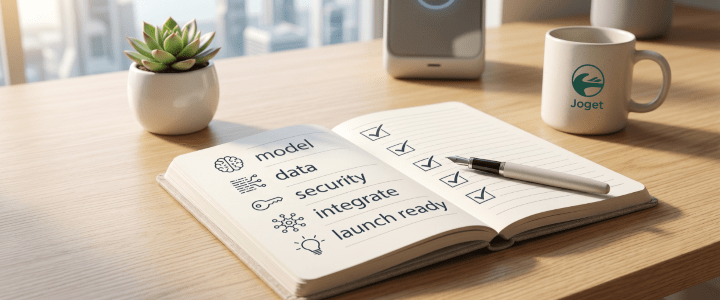
Use this checklist before deploying any AI agent to a live environment.
Copy it. Adapt it. Keep it.
Build Reliable Agents Inside Your Enterprise Apps, Without Starting From Scratch
Most teams trying to build enterprise AI agents face the same upstream problem: they have to assemble the agent infrastructure, the governance layer, the access controls, and the underlying application logic all separately, before a single agent can run in production.
Joget AI Agent Builder removes that problem entirely. It is built directly into the platform, which means your agents live inside the same environment as your workflows, your data, and your governance controls — from day one.
Here is what that means in practice:
It is fast to build.
Give your app a name and build it visually with Joget, no coding needed.
Once your app is in place, AI Composer lets you modify any part of it: forms, workflows, data views, interfaces, through conversation, directly inside the visual builders. AI Composer runs on the same AI Agent Builder engine, so the same foundation that powers your agents also handles app composition.
The Agent Builder itself is a visual interface where you configure agent behaviour, define tasks, set triggers, and connect to external tools without writing code. A built-in Preview tab lets you test agent behaviour before it touches a live environment.
………………………………………….
It is designed for human oversight.
Agents in Joget run directly from within your workflow processes using the AI Agent tool, which means human-in-the-loop controls: review steps, approval gates, and escalation paths — are a native part of how the agent operates.
………………………………………….
It is transparent.
Every action your agent takes is logged. The Agent Execution Audit Trail gives you a full record of what each agent did, when, and why, so when something needs reviewing, you are not digging through opaque outputs. Token usage is tracked through the Governance Dashboard. Nothing runs without a trace.
………………………………………….
It is secure by design.
Agents run within the platform’s existing access control framework, so permissions are governed the same way they are across the rest of your enterprise apps.
On the authentication side, Joget DX 9 includes support for multiple identity providers, revamped multi-factor authentication, and passkeys; which removes password-related vulnerabilities entirely. These controls apply to the environment your agents operate in, which means security is not something you configure separately for your agents. It is already there.
The result is an agent that works inside your governed enterprise environment, with the guardrails, audit trails, and access controls that make it trustworthy, built in from the start.
………………………………………….
Learn how to put this into practice with:
Joget Agent Builder Playbook: A practical guide to building agents in your enterprise.
Get Free E-book
More insights
Trending Reads You Don’t Want to Miss:

Blog: Agentic AI: The Next Big Thing in AI

Customer Stories: Industry leaders’ enterprise transformation
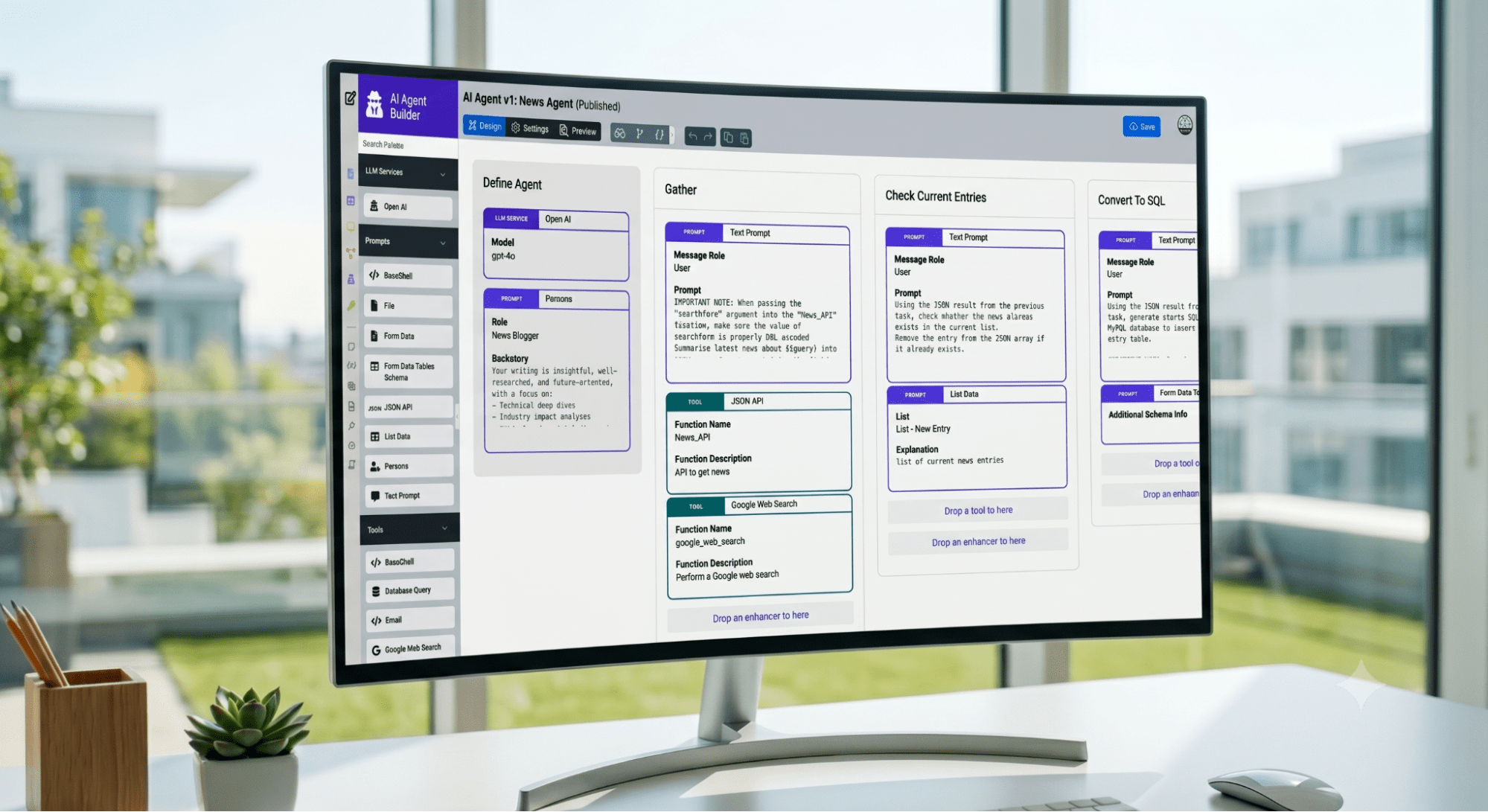
Webinar: Build Your First AI Agent in Minutes
Related
Last modified: June 18, 2026